Features That Turn Website Visitors Into Leads
Features in LiveChatBot cover the whole path from a stranger on your page to a customer: talk to visitors, catch every lead, see which pages and keywords bring them, and follow up until the deal is won. Most of it is free to start.
Talk
Chat features for every visitor
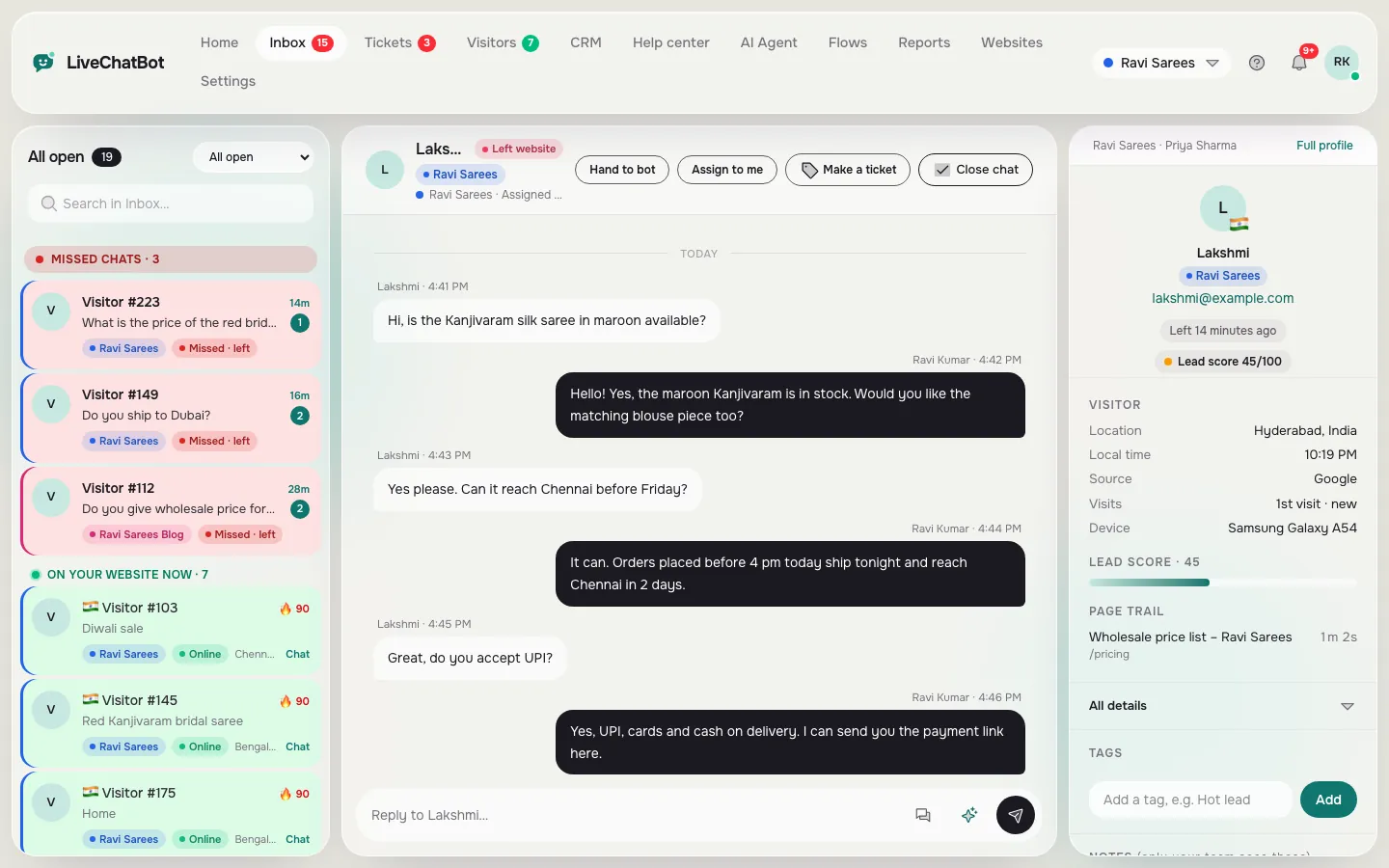 Live chatA chat widget for your site with an inbox for the whole team.Learn more →Shared inboxEvery chat from every website, with the visitor beside it.Learn more →
 Widget designColors, button, position, language and where it shows.Learn more →
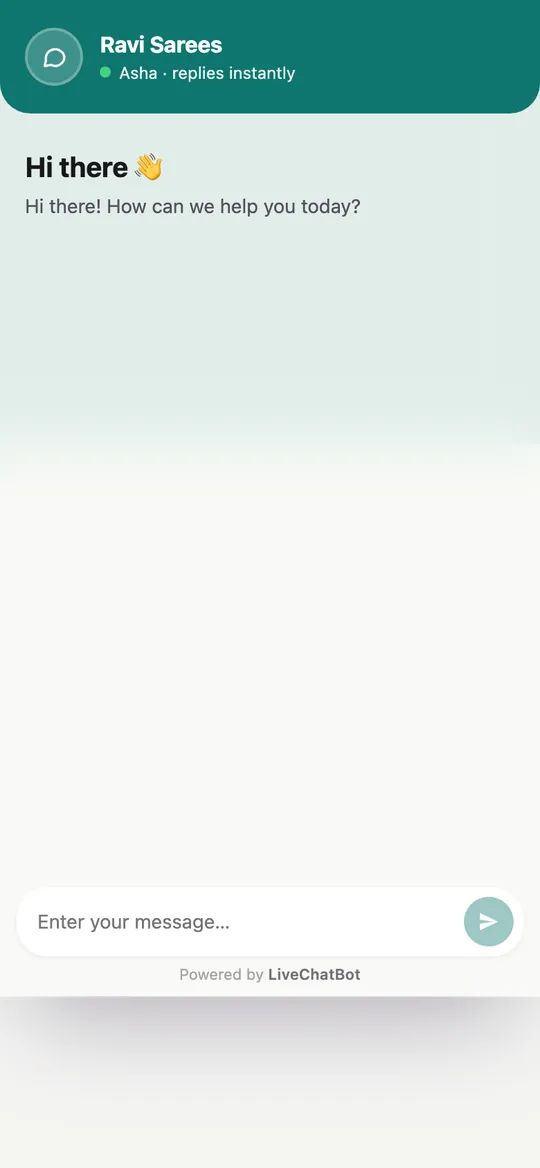 Chat linkA full-page chat to share on WhatsApp, Instagram or a QR code.Learn more →
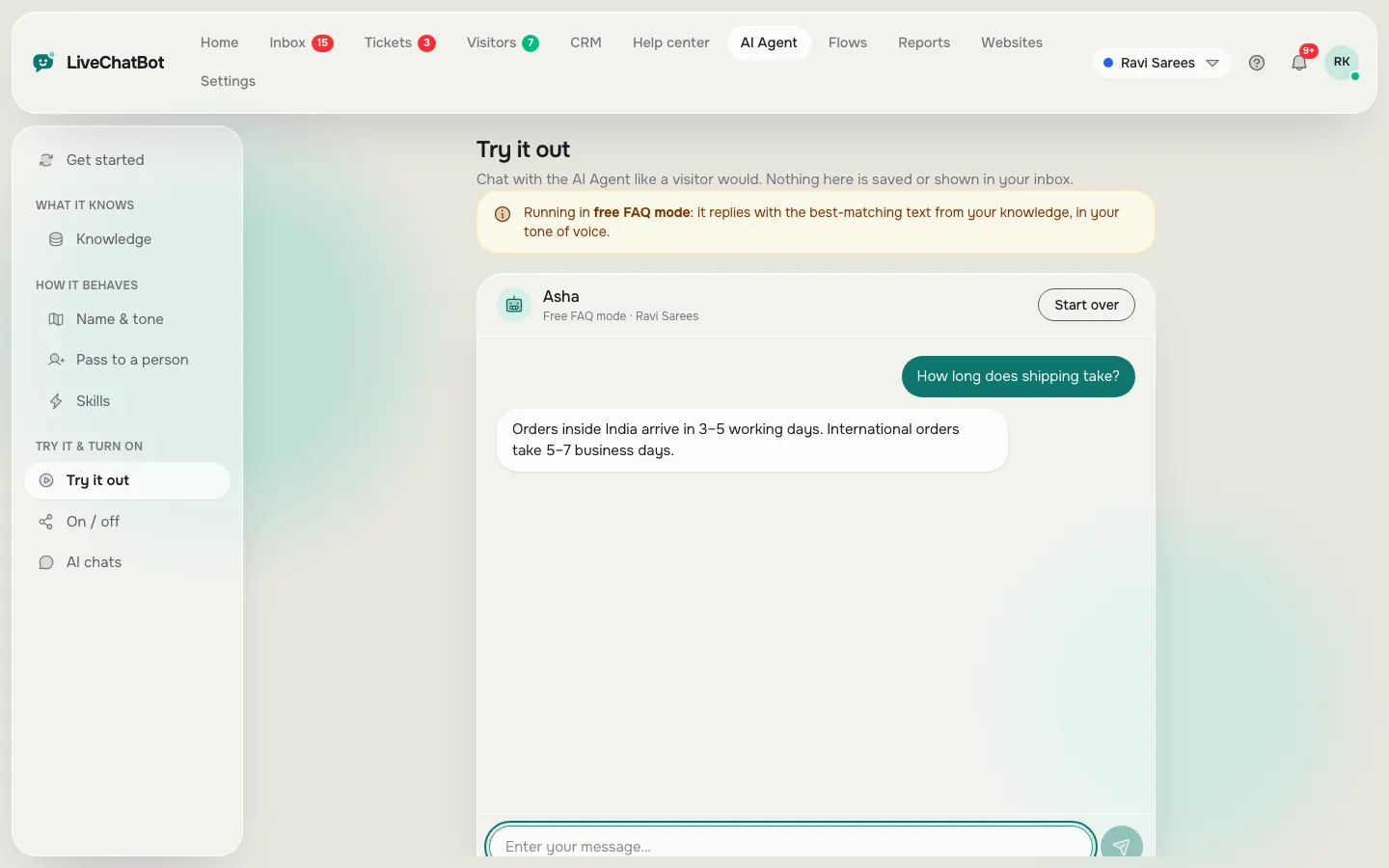 AI AgentAnswers from your own knowledge, hands over to a person when needed.Learn more →
 Chat flowsProactive messages and simple forms that start conversations.Learn more →
 Smart ReplyReply chips from your saved replies and help articles.Learn more →Saved repliesWrite common answers once, send them in one tap.Learn more →
 Android appAnswer chats and get alerts from your phone.Learn more →
 Away messages and rescuerOpening hours, an away form and a reply when a chat waits.Learn more →
Capture
Lead capture features
 Form leadsEvery contact form on your site becomes a tracked lead.Learn more →
 Lead alertsA New lead alert the moment someone leaves details.Learn more →
 WhatsApp click trackingA ref code ties each WhatsApp chat to the page that sent it.Learn more →
 Help centerArticles visitors can search, inside the widget and on the web.Learn more →
Grow
Growth features that show what sells
 SEO cycleFollow each page from published to crawled, found, contacted and lead.Learn more →
 SEO lead trackingSee which pages and money keywords bring leads.Learn more →
 Traffic and keywordsWhere visitors come from and which pages make them act.Learn more →
 Bot detectionCrawlers and fake visitors are kept out of your numbers.Learn more →
 Pages to improvePages that get visitors but no action, with fixes.Learn more →
 Content ideasPosts to write next, from what visitors really ask.Learn more →
 Visitor trackingSee who is on your site right now and what they read.Learn more →
 Visitor profilesLocation, local time, pages, notes, deals and past chats.Learn more →
 Chat reportsChats, reply times, busy hours, leads and AI results.Learn more →
Close
Sales features to win the deal
 Sales pipeline CRMDeals, companies and activities in one simple board.Learn more →
 TicketsTurn a question into a ticket and track it to solved.Learn more →👍Chat ratingsVisitors rate a chat and tell you what to improve.Learn more →
 Help deskShared inbox, tickets and reports for support teams.Learn more →
 TeamAdd agents, choose access and route chats to teams.Learn more →
 Multiple websitesOne account and one inbox for all your websites.Learn more →
How it fits
How the pieces work together
A visitor lands on a page from Google. The chat widget or a WhatsApp button starts a conversation, or they fill a contact form. That moment becomes a lead, your phone gets an alert, and the contact lands in the CRM with the page that brought them.
Reports then close the loop. They show which pages and keywords bring leads, which pages get visitors but no action, and what to write next. You fix the weak pages, publish the next post, and the cycle starts again.
You can switch on one part at a time. Start with chat and lead alerts, then add the reports when you want to grow traffic that sells.
Keep reading
Related guides
Live Chat Bot for Website Visitors, Minute by Minute: What Happens From the First Message to a Solved Ticket (Free Chat Timeline)
Artificial Intelligence Chat Explained: What Happens in the 2 Seconds After You Hit Send
Free Chat Bot WordPress Owners Can Run for 30 Days: A Week-by-Week Plan for Install, Teach, Watch and Improve (Free Timeline)
Works with
Works with your website
Install it on any site with one line of code, or use the WordPress plugin for WordPress and WooCommerce. Connect other tools with Zapier, webhooks and the REST API: see integrations.
Are all features free?
Chat, the inbox, the Android app, lead alerts, form leads, the CRM, the help center and the reports are free to start. AI replies are premium with a small free monthly allowance; visitor packs add capacity when you need it. See [pricing](pricing).
Do I need Google Analytics or Search Console?
No. The reports use LiveChatBot’s own data from your site, so they work without either.
Is there an iPhone app?
There is an Android app. On iPhone, your team uses the dashboard in the browser.
Can I remove the Powered by LiveChatBot badge?
No, it stays on all plans.
Try every part free
Sign up at livechatbot.in, add one line of code, and see your first lead in the dashboard today.